Sales Managers – Confirm CRM
To confirm CRM / DMS Solds, follow the instructions below.
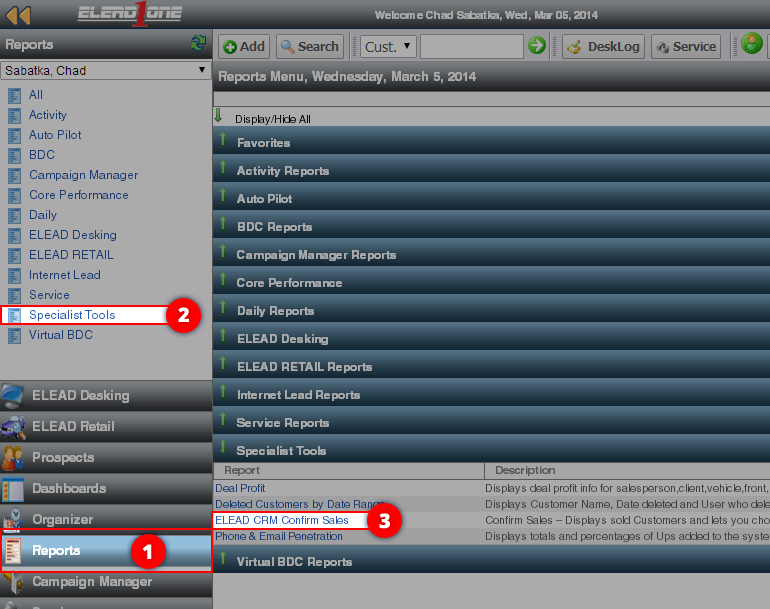
- Click on “Reports”
- Click on “Specialist Tools”
- Click on “ELEAD CRM Confirm Sales”
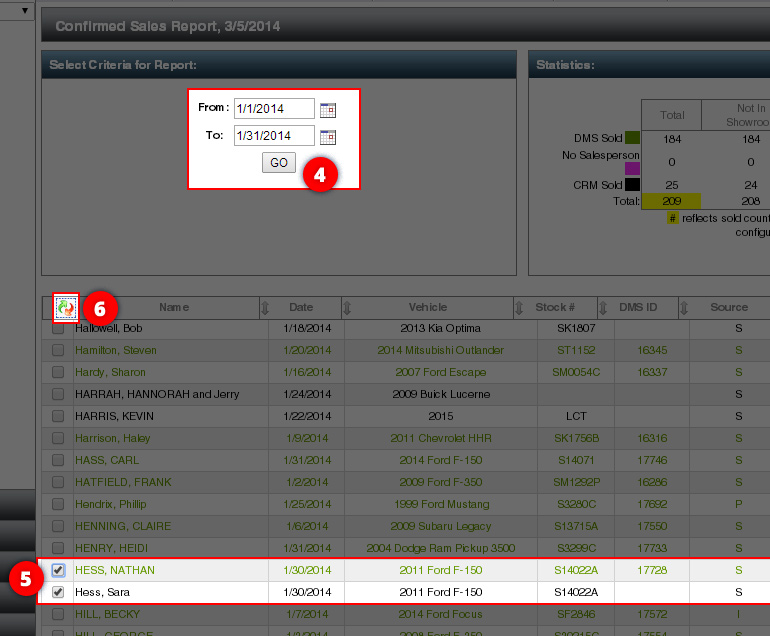
- Select the Date Range in which you want to merge record.
- Find the records you want to merge/confirm into a single record. The Black records are DMS/Confirmed records and Green and CRM/Unconfirmed. All Green records need to be either Unwound or Merged into a Black DMS record. If you want to merge the records, click the checkbox next to the name.
- Click the merge records icon.
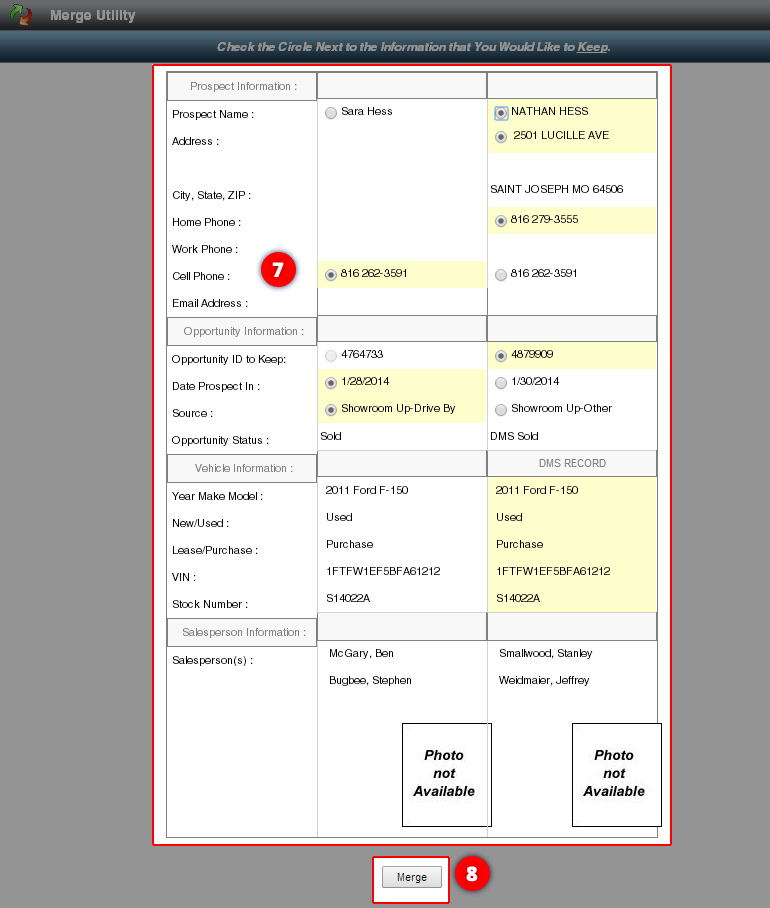
- Select the radio button next Prospect Information and Opportunity Information to want to keep. Note: You’ll want to keep the DMS record for Prospect (all caps) and Opportunity Record with a Sales Status of “SOLD” – not DMS Sold – this will ensure the tracking is correct.
- Click the “Merge” button.